
2016-05-21
Kdenlive UI: Advanced Editing Timeline Bar Buttons -- Odds and Ends
Tagged as ...
extract,
insert,
insert mode,
Kdenlive,
lift,
overwrite,
overwrite mode,
timeline,
timeline bar

Kdenlive UI: New Timeline Bar -- Odds and Ends

Yet even more Kdenlive UI polishing: the Kdenlive status bar just below the timeline has been cleaned up. The status bar now only (mostly) contains only controls that deal with the timeline appearance, such as zoom, showing video thumbnails, and so on. All the other stuff that was slowly filling up the status bar has now found home in the new timeline toolbar, with many new buttons showing up. So what are these good for...?
Tagged as ...
extract,
insert,
insert mode,
Kdenlive,
lift,
overwrite,
overwrite mode,
timeline,
timeline toolbar,
toolbar
2016-05-20
Kdenlive: Preview Rendering -- Odds and Ends

Tagged as ...
Kdenlive,
preview,
rendering,
timeline toolbar
2016-05-16
Kdenlive: More Power, No Flimflam

So what is to be expected...?
Tagged as ...
Kdenlive
Kdenlive UI: Good Moves, or ... Import Keyframes -- Odds and Ends

Tagged as ...
import keyframes,
Kdenlive,
keyframes
Kdenlive UI: Selectively Disable Timeline Clip/Video/Audio -- Odds and Ends
 |
| Disabling clips from clip context menu. |
So far, Kdenlive did only allow video editors to selectively disable the audio part or alternatively the video part on a per-clip basis in the timeline.
Tagged as ...
clip status,
disable,
Kdenlive,
timeline
2016-05-08
Kdenlive UI: Insert Mode -- Odds and Ends
 Now that timeline insert and overwrite operations have landed in the development version of Kdenlive, we finally get the long-time missing insert mode. Formerly, insert mode wasn't implemented at all, and the mode switch disabled in the user interface. So how do the two modes insert and overwrite work...?
Tagged as ...
insert,
insert mode,
Kdenlive,
mode,
overwrite,
overwrite mode,
timeline
2016-05-03
Kdenlive UI: Timeline Insert & Overwrite -- Odds and Ends
Kdenlive UI: Track Status LED -- Odds and Ends
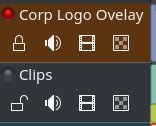 As part of the new advanced timeline editing operations that have been landed in the development branch, Kdenlive now has new track status indicators. Each track got its own little signal LED. It can either be unlit, or red, yellow, or green. But what does this status actually signal...?
Tagged as ...
audio target track,
Kdenlive,
LED,
timeline,
track
2016-04-26
Kdenlive UI: Timeline Lift & Extract -- Odds and Ends
2016-04-24
Kdenlive UI: Clip in Project Bin -- Odds and Ends
Tagged as ...
clip,
Kdenlive,
project bin,
UI improvement
2016-04-11
New PPAs for Kdenlive on (*)ubuntu
- kdenlive-stable: the most recent offical stable release. For production use.
- kdenlive-testing: the feature-frozen upcoming Kdenlive stable release. If you run into problems with the current stable, try this if a fix is already available. Also, this gives you early access to bug fixes in advance of the next stable release. May be used with great caution also for production, especially within a bug-fixing release cycle, such as version 16.04 to 16.04.3.
- kdenlive-master: bleading-edge Kdenlive from git master. Contains new features, fixes, and probably also bugs.
2016-04-10
Kdenlive UI: Keyframe Interpolation -- Odds and Ends
 The upcoming Kdenlive 16.04 will feature enhanced keyframe editing. Kdenlive finally unlocks the multiple keyframe interpolation modes that were, until now, deeply hidden in its MLT engine so far...
Tagged as ...
Kdenlive,
Kdenlive 1.0,
UI improvement
2016-04-06
Kdenlive UI: Black is Beautiful -- Odds and Ends
Tagged as ...
Kdenlive,
Kdenlive 1.0,
UI improvement,
user interface
2016-04-01
Kdenlive UI: Title Editor -- Odds and Ends
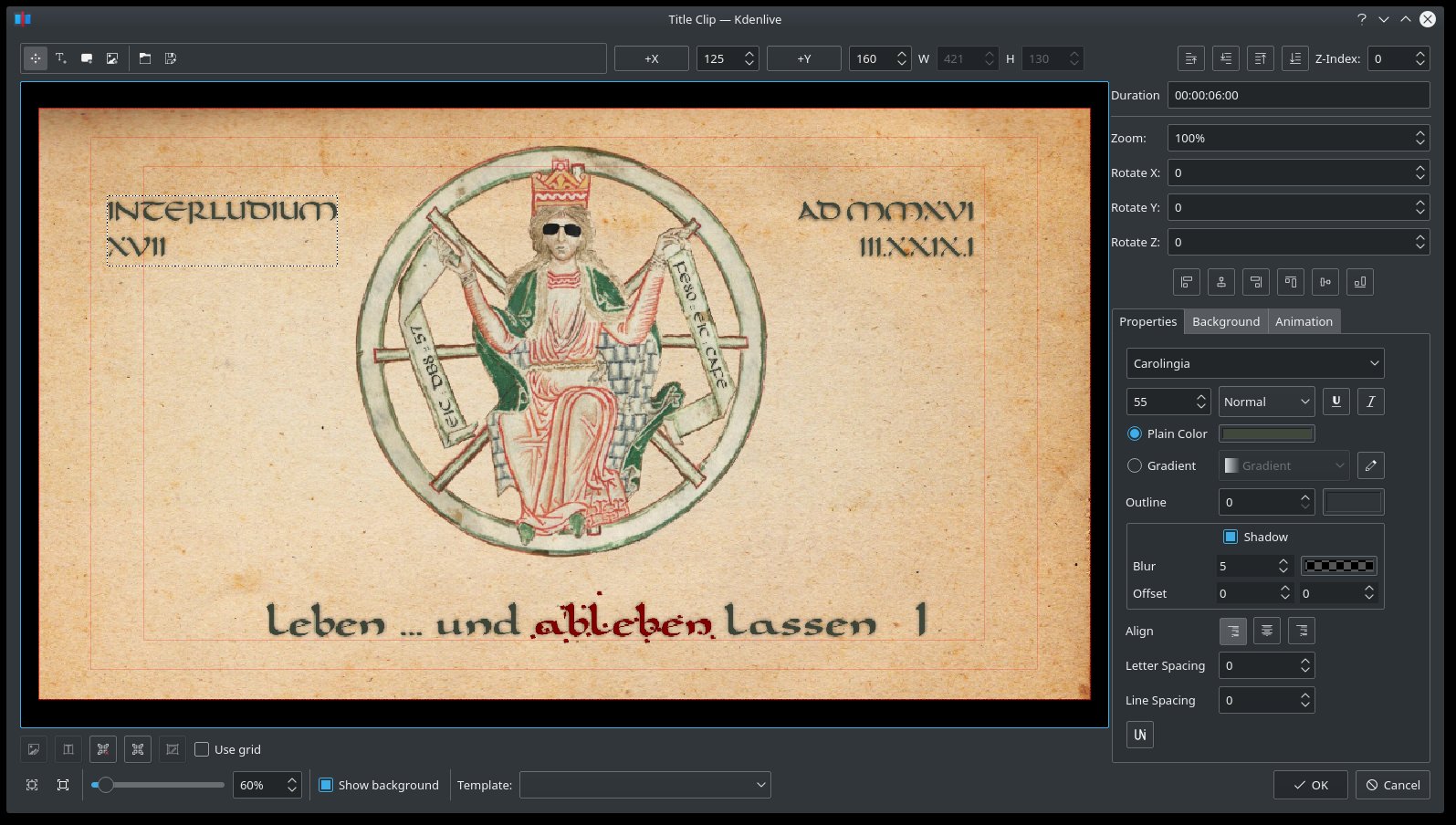 Recently, some nice upgrades to Kdenlive's title editor (so-called titler) have landed in the soon-to-be released stable 16.04 version. So what are we to expect from the titler editor feature improvements...?
Tagged as ...
Kdenlive,
Kdenlive 1.0,
titler,
titles,
UI improvement,
user interface
Subscribe to:
Posts (Atom)