
Showing posts with label UI improvement. Show all posts
Showing posts with label UI improvement. Show all posts
2016-07-13
Kdenlive UI: Resizable Timeline Track Headers & Small Tracks -- Odds and Ends
Tagged as ...
Kdenlive,
timeline,
track,
track header,
UI improvement

2016-04-24
Kdenlive UI: Clip in Project Bin -- Odds and Ends
Tagged as ...
clip,
Kdenlive,
project bin,
UI improvement
2016-04-10
Kdenlive UI: Keyframe Interpolation -- Odds and Ends
 The upcoming Kdenlive 16.04 will feature enhanced keyframe editing. Kdenlive finally unlocks the multiple keyframe interpolation modes that were, until now, deeply hidden in its MLT engine so far...
Tagged as ...
Kdenlive,
Kdenlive 1.0,
UI improvement
2016-04-06
Kdenlive UI: Black is Beautiful -- Odds and Ends
Tagged as ...
Kdenlive,
Kdenlive 1.0,
UI improvement,
user interface
2016-04-01
Kdenlive UI: Title Editor -- Odds and Ends
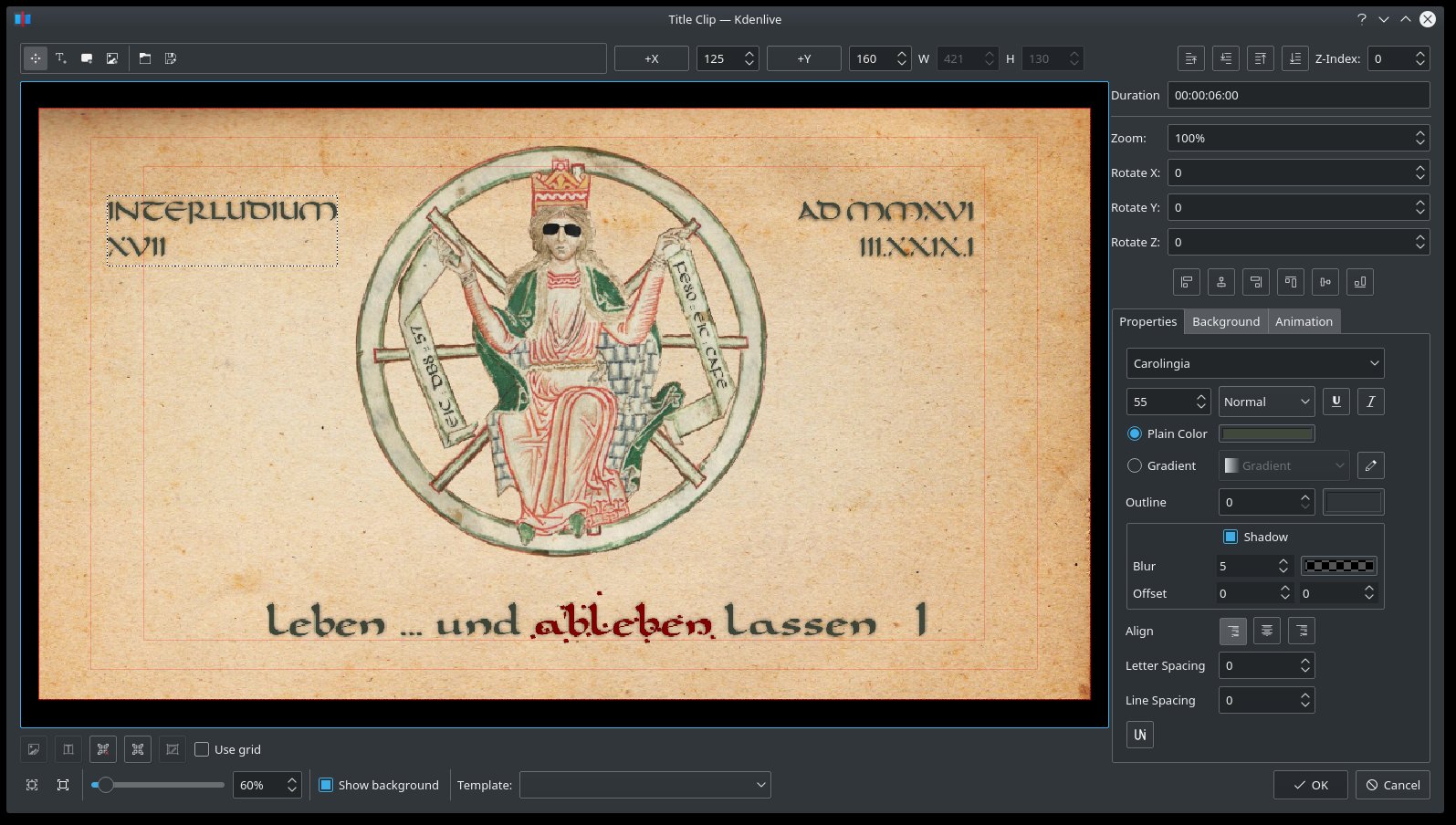 Recently, some nice upgrades to Kdenlive's title editor (so-called titler) have landed in the soon-to-be released stable 16.04 version. So what are we to expect from the titler editor feature improvements...?
Tagged as ...
Kdenlive,
Kdenlive 1.0,
titler,
titles,
UI improvement,
user interface
2016-03-07
Kdenlive UI: JogShuttle -- Odds and Ends
 This is another example of the small polish happening here and there all over Kdenlive's user interface: the Configure Kdenlive dialog got a proper jogshuttle section icon. The previous mouse icon was simply too misleading, so I drew up the new icon as a good exercise in Breeze icon design.
Tagged as ...
Kdenlive,
Kdenlive 1.0,
UI improvement,
user interface
2016-03-06
Kdenlive UI: Copy & Paste Between Projects -- Odds and Ends
 One of the most important new features in Kdenlive is copy & paste between projects. But instead of a forgetful clipboard, Kdenlive gives use its new library to permanently remember all your best timeline stuff...
Tagged as ...
copy,
Kdenlive,
Kdenlive 1.0,
paste,
UI improvement,
user interface
Kdenlive UI: Split View -- Odds and Ends
 Kdenlive's split view mode allows to split the clip monitor in half: left half with effects applied, right half without effects. Recently, this feature has finally arrived in the project monitor and improves Kdenlive's workflow significantly...
Tagged as ...
Kdenlive,
Kdenlive 1.0,
UI improvement,
user interface
2016-03-05
Kdenlive UI: Project Bin -- Odds and Ends
Tagged as ...
Kdenlive,
Kdenlive 1.0,
UI improvement,
user interface
Kdenlive UI: Transparent Tracks -- Odds and Ends
 An important new feature of Kdenlive are transparent tracks. This feature is directly aimed at newcomers of Kdenlive, but may also please some old hands.
Tagged as ...
Kdenlive,
Kdenlive 1.0,
UI improvement,
user interface
Kdenlive UI: New Lift/Gamma/Gain UI -- Odds and Ends
Tagged as ...
Kdenlive,
Kdenlive 1.0,
UI improvement,
user interface
Kdenlive UI: Effects & Transitions -- Odds and Ends
Tagged as ...
Kdenlive,
Kdenlive 1.0,
UI improvement,
user interface
Kdenlive UI: Monitors -- Odds and Ends
Tagged as ...
Kdenlive,
Kdenlive 1.0,
UI improvement,
user interface
Kdenlive UI: Red Sound -- Odds and Ends
 It's good to see Kdenlive development polishing even on seemingly small, yet useful user interface details. An example of such are the mute audio state icons in Kdenlive's timeline: what do you think does a red speaker icon signify?
Tagged as ...
Kdenlive,
Kdenlive 1.0,
UI improvement,
user interface
Kdenlive UI: Track (Un)Locked -- Odds and Ends
 It's good to see Kdenlive development proceeding, even on small details, as improved icons for the user interface of Kdenlive. This is only possible because the Kdenlive developers kindly and quickly integrate user contributions with some level of consensus. A good example of such seemingly small UI improvements are the track lock icons in the timeline. «...so what could be wrong with a lock icon?» you may ask.
Tagged as ...
Kdenlive,
Kdenlive 1.0,
UI improvement,
user interface
Subscribe to:
Posts (Atom)