
Showing posts with label timeline. Show all posts
Showing posts with label timeline. Show all posts
2016-07-22
Inside Kdenlive Projects: Timeline Tracks
Tagged as ...
inside,
Inside Kdenlive,
Kdenlive,
timeline,
timeline tracks,
track,
XML

Inside Kdenlive Projects: The Analyzer
Tagged as ...
analyzer,
audio mix,
Inside Kdenlive,
Kdenlive,
project,
project bin,
timeline,
timeline tracks,
track,
transition,
XML,
XSLT
2016-07-13
Kdenlive UI: Resizable Timeline Track Headers & Small Tracks -- Odds and Ends
Tagged as ...
Kdenlive,
timeline,
track,
track header,
UI improvement
2016-05-21
Kdenlive UI: Advanced Editing Timeline Bar Buttons -- Odds and Ends

Tagged as ...
extract,
insert,
insert mode,
Kdenlive,
lift,
overwrite,
overwrite mode,
timeline,
timeline bar
Kdenlive UI: New Timeline Bar -- Odds and Ends

Yet even more Kdenlive UI polishing: the Kdenlive status bar just below the timeline has been cleaned up. The status bar now only (mostly) contains only controls that deal with the timeline appearance, such as zoom, showing video thumbnails, and so on. All the other stuff that was slowly filling up the status bar has now found home in the new timeline toolbar, with many new buttons showing up. So what are these good for...?
Tagged as ...
extract,
insert,
insert mode,
Kdenlive,
lift,
overwrite,
overwrite mode,
timeline,
timeline toolbar,
toolbar
2016-05-16
Kdenlive UI: Selectively Disable Timeline Clip/Video/Audio -- Odds and Ends
 |
| Disabling clips from clip context menu. |
So far, Kdenlive did only allow video editors to selectively disable the audio part or alternatively the video part on a per-clip basis in the timeline.
Tagged as ...
clip status,
disable,
Kdenlive,
timeline
2016-05-08
Kdenlive UI: Insert Mode -- Odds and Ends
 Now that timeline insert and overwrite operations have landed in the development version of Kdenlive, we finally get the long-time missing insert mode. Formerly, insert mode wasn't implemented at all, and the mode switch disabled in the user interface. So how do the two modes insert and overwrite work...?
Tagged as ...
insert,
insert mode,
Kdenlive,
mode,
overwrite,
overwrite mode,
timeline
2016-05-03
Kdenlive UI: Timeline Insert & Overwrite -- Odds and Ends
Kdenlive UI: Track Status LED -- Odds and Ends
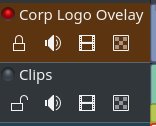 As part of the new advanced timeline editing operations that have been landed in the development branch, Kdenlive now has new track status indicators. Each track got its own little signal LED. It can either be unlit, or red, yellow, or green. But what does this status actually signal...?
Tagged as ...
audio target track,
Kdenlive,
LED,
timeline,
track
2016-04-26
Kdenlive UI: Timeline Lift & Extract -- Odds and Ends
2014-07-25
Kdenlive Timeline Illustrated, Part 3
 |
| Kdenlive timeline illustrated... |
Tagged as ...
Kdenlive,
timeline,
video tech
2014-07-20
Kdenlive Timeline Illustrated, Part 2

Tagged as ...
Kdenlive,
timeline,
video tech
2014-07-16
Kdenlive Timeline Illustrated, Part 1

Probably much confusion simply arises because people expect the video tracks in Kdenlive's timeline to act like image layers – the image layers that can be found in so many graphics programs. Unfortunately, Kdenlive's tracks work quite different, but this isn't immediately obvious.
So for better insight into Kdenlive's timeline please follow me on a little journey...
Tagged as ...
Kdenlive,
timeline,
video tech
Subscribe to:
Posts (Atom)